Get early access to CodeYam Editor: Join Discord to requestGet early access to CodeYam Editor:
Join Discord to request
Powerful tools for the AI coding era
npm install -g @codeyam/codeyam-cli@latestThen just run codeyam in your project root.
Free. No registration. Runs locally.
Works with Claude Code today, more agents coming soon.Works with Claude Code today,
more agents coming soon.
AI is changing how software gets built. We're designing the ideal development experience for what comes next.
Code + Data = Simulations
Simulation is a longstanding and powerful tool for technology R&D. CodeYam Editor offers a software development environment where AI generates code & data at the same time.
AI Demonstrations
As AI writes your code, it simultaneously generates the data to run it, so you can see exactly how it behaves before you ship.
Zoom In & Out
Simulations work at every level. Zoom in into one function to test it alone, then step back to see the bigger picture.
Specific Shared Context
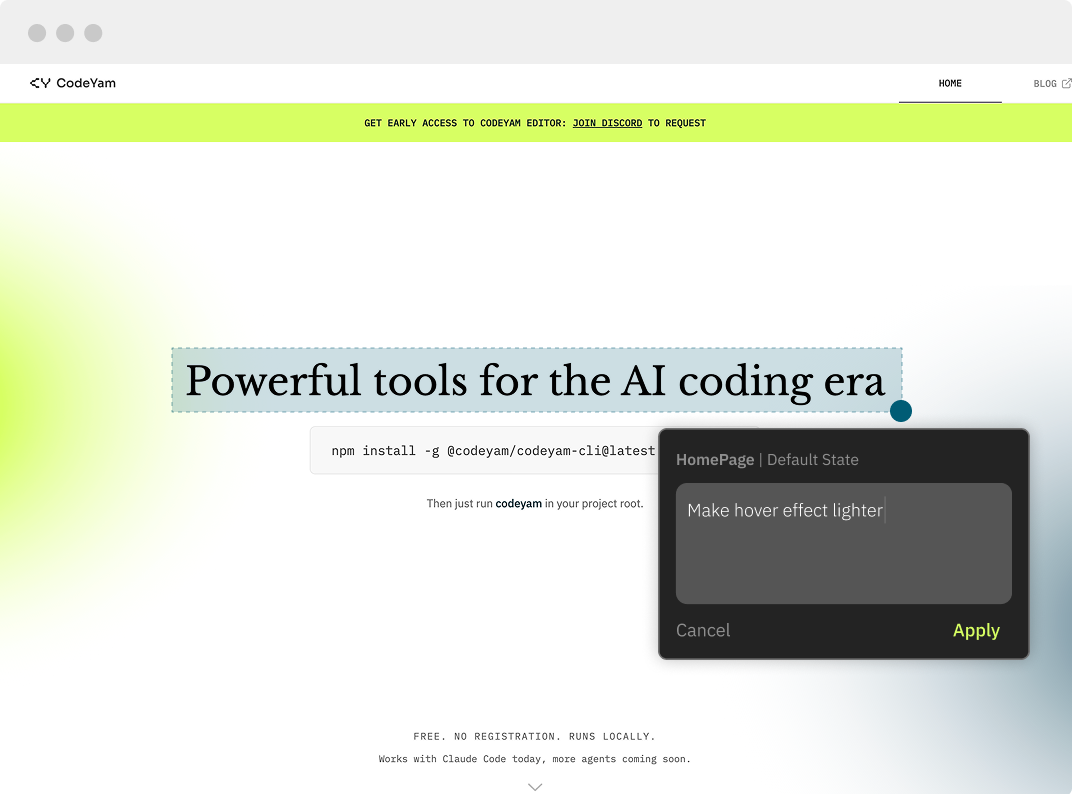
Miscommunications with AI usually happen because there's no shared context. Simulations give you and your agent the same starting point before any change is made.
A Robust Test Suite
As your app changes, simulations change with it. If something shifts in a way you didn't expect, you can see exactly what happened and fix it before it becomes a real problem.
Documentation & Maintainability
Simulations are a remote control for your app. Jump to any state in seconds when demoing to a client, onboarding someone new, or getting back up to speed on a part of the codebase you haven't touched in a while.
Workflows
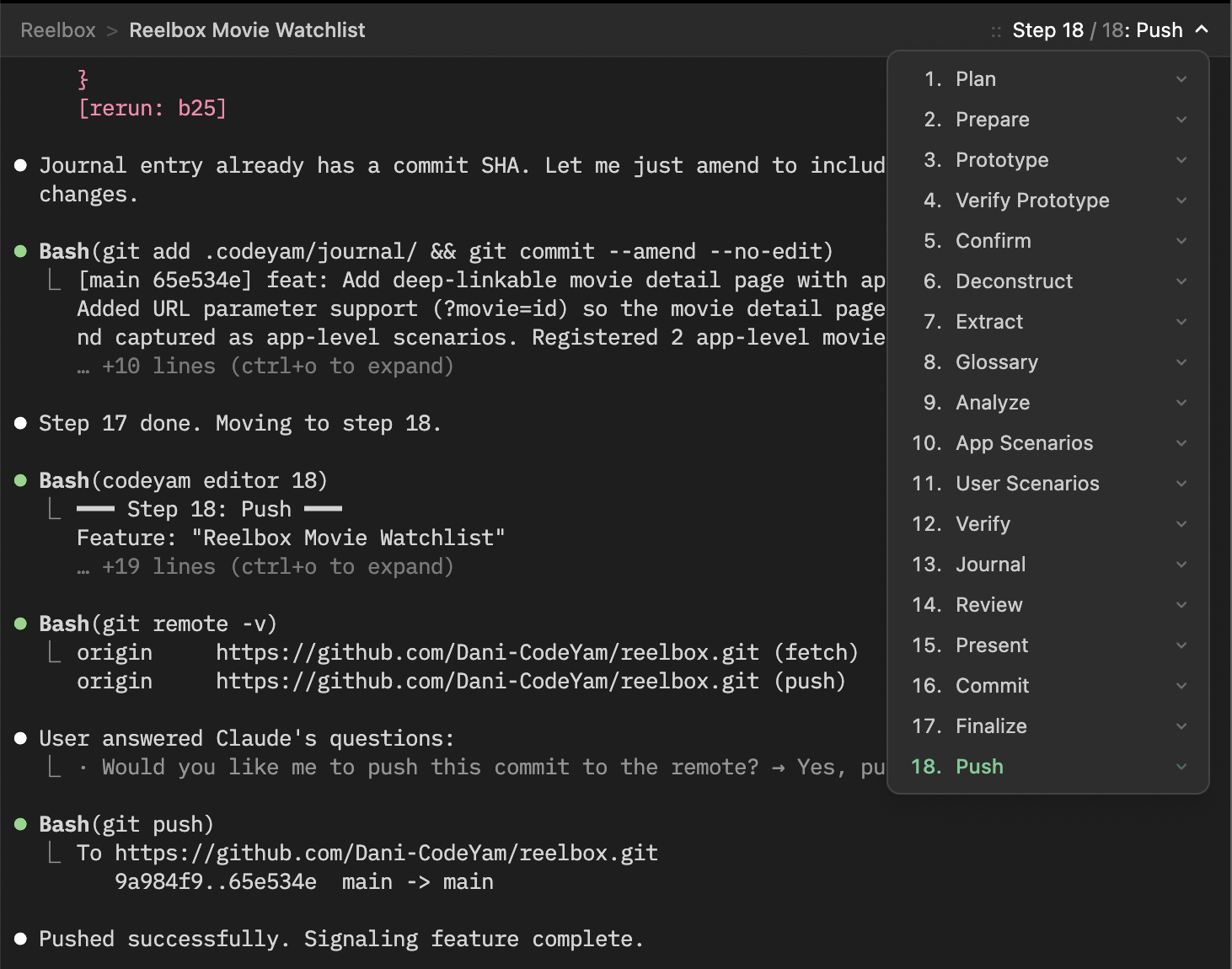
Every CodeYam session moves through a structured sequence, giving the AI a rigorous process to follow to ensure consistent results. This keeps your agent on track, and you in control of what ships.
Clearly Structured Workflows
A rigorous 18-step process that walks the AI through building, testing, and simulating your code, step by step.
Audits & Verification
Even with small discreet steps an AI can skip some things. Each step in the workflow can include audit and verification steps to statically test that nothing was missed.
CodeYam Editor is available for early access.
Join the community in Discord and mention “editor” to get it.
Claude Code's Memory Manager
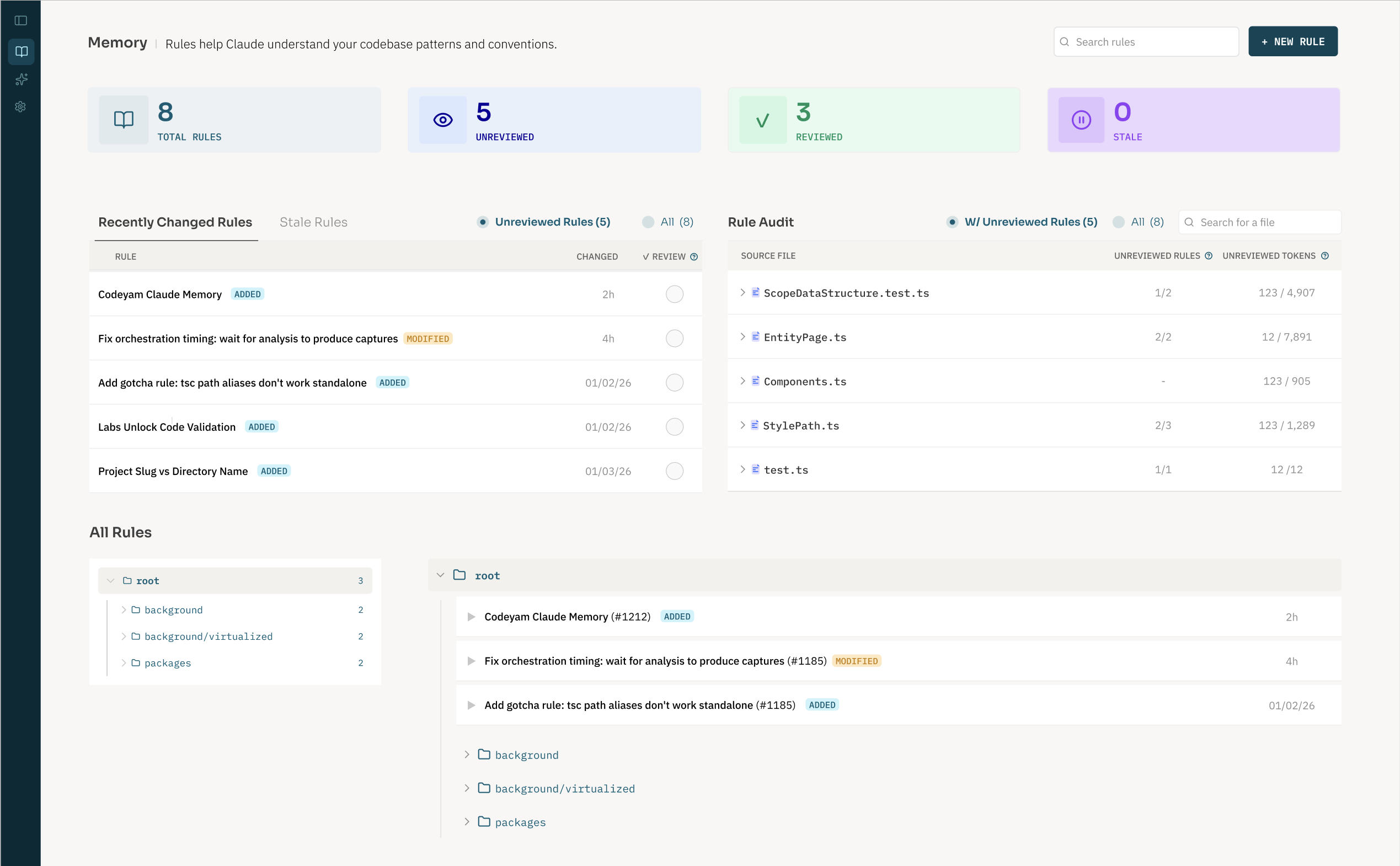
Claude Code forgets everything between sessions. CodeYam Memory fixes that, automatically capturing decisions and rules from every session so your agent picks up exactly where it left off.
Clean rules to guide future sessions
Find conflicts, clean up stale references and track which parts of your codebase have coverage.
Free install.
No registration. Runs locally.
Works with Claude Code today, more agents coming soon.
Then just run codeyam in your terminal.
Free install.
No registration. Runs locally.
Works with Claude Code today, more agents coming soon.
Then just run codeyam in your terminal.