Suggested order
From idea to a live app
The lessons we'd watch first, in the order that helps. Every step has a video. It starts in GitHub Codespaces, so there's nothing to install.
10 lessons≈ 45 min0 of 10 done
 2:01Set up CodeYamStep 1: Two ways to install CodeYamThe ways to get CodeYam running. This path skips the installs and runs CodeYam in GitHub Codespaces.
 3:05Set up CodeYamStep 2: Run CodeYam in GitHub CodespacesGet CodeYam running in your browser with a free GitHub account, no install and no terminal.
 1:04The MVP MasterclassStep 3: What a Minimum Viable Product (MVP) Actually IsDecide what you are actually building before you build any of it.
 3:32How to build a websiteStep 4: Static vs. dynamic websitesUnderstand the simplest possible version of a website.
 16:34How to build a websiteStep 5: Hosting and domainsLearn where a site lives online, what a domain is, and what it all costs, before you need either.
 3:27Redesigning a personal websiteStep 6: Rebuilding a personal website with AIA real project, start to finish. This is the overview of what follows.
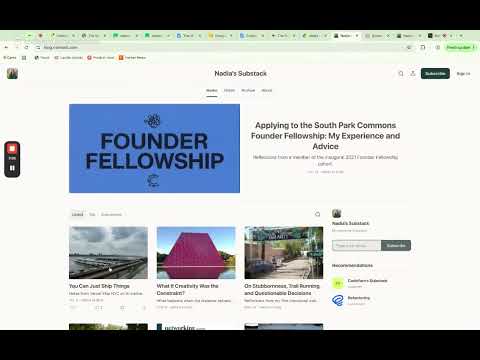 3:33Redesigning a personal websiteStep 7: A design critique of the existing siteLook hard at what is already there before changing it.
 2:40Redesigning a personal websiteStep 8: Exploring four design directionsPick a direction before the look becomes an accident.
 3:42Redesigning a personal websiteStep 9: Going live on a custom domainPut it online with your own domain.
 4:02Redesigning a personal websiteStep 10: Shipping the final siteThe last mile, and what shipping actually involves.